

Snore recorder app for iPhone: hear your snoring, not eight hours of audio
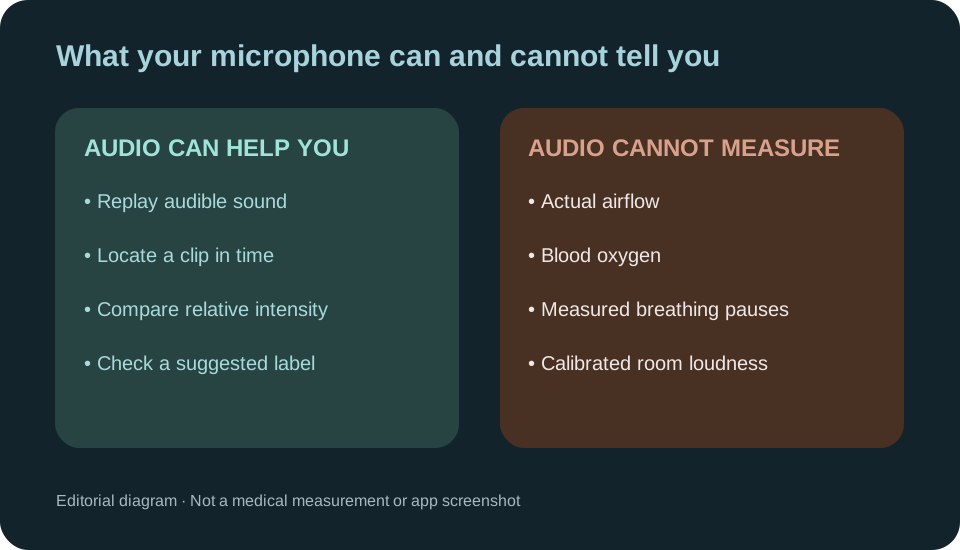
A snore recorder app uses the iPhone microphone to capture overnight sounds and surface possible snoring clips you can replay. A useful morning report helps you find when snoring-like sounds happened and compare nights recorded in similar conditions. It cannot identify every speaker, measure airflow or oxygen, or determine whether you have sleep apnea.
General information, not medical advice.
On this page5 sections
What a snore recorder should show you
Recording the audio is the easy part. What makes a recorder useful is what it does with the night:
- Replayable candidate clips where the app has selected a likely sound event, with some preceding context where captured. A sound it misses may have no suggested clip.
- When it was flagged: possible snoring by hour and each suggested episode's position in the recording. An interval marked not recorded is missing audio, not a quiet hour.
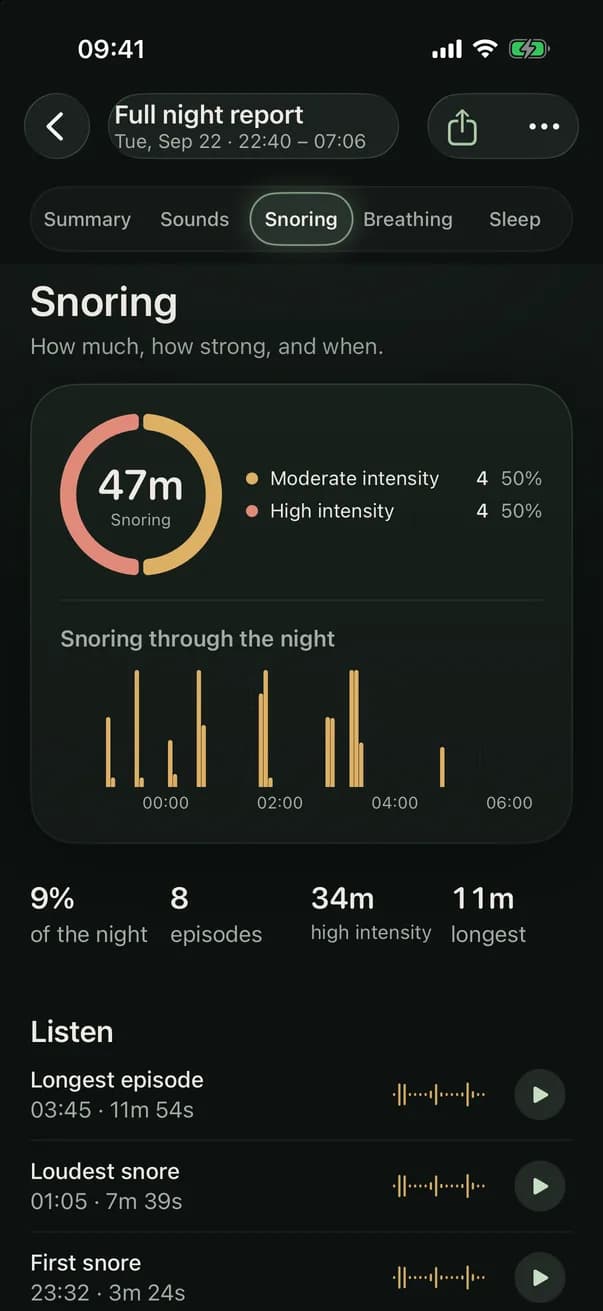
- How much was labelled as snoring: estimated snoring duration, its share of the recorded night, episode count and longest episode. Totals depend on what the detector heard and labelled.
- Loudness that's honest about its limits. A phone isn't a calibrated sound meter, so loudness is best shown relative to your room, not as a decibel figure to set against somebody else's.
- A way to question the classification. Voices, a partner and room noise can be mistaken for snoring; listen to the clip before relying on its label.
This site is made by the app's developer, so weigh the list with that in mind. It's also simply what to ask of any recorder.
How to record your snoring tonight
Five steps:
- Put the iPhone on the bedside table at about head height, in the same spot every night, with the microphone uncovered.
- Charge it if you can, out in the open. Apple advises against putting a charging iPhone under a blanket or pillow, or sleeping on it [1].
- Ask anyone who shares the room for agreement before recording audio that may include their voice.
- Allow microphone access, make and replay a short test, then check that you can start the intended session before bedtime. The app is designed for recording with the screen locked, but uninterrupted overnight performance has not been independently verified across devices; the morning report marks periods when it could not capture sound as not recorded.
- In the morning, check the session's captured duration and any periods marked not recorded. Then replay the longest or loudest suggested moments; a missing clip or interrupted period does not establish silence.
How to check the morning highlights
A detected-snoring label is a starting point, not proof. In the morning, find a highlighted clip and play it through headphones at a comfortable volume. Did you hear a rough snoring sound, a voice, or another noise from the room? A replay answers that question better than an icon.
- Check recorded duration and gaps first, then open a suggested clip and note its time. If the source is unclear, replay the clip rather than treating the label as confirmed.
- Compare the clip with the snoring totals and hour-by-hour display; those counts depend on which sounds were classified, so false positives and missed sounds matter.
- Use the same bedside placement on later nights. Moving the microphone or changing background noise makes relative loudness harder to compare.
For phone positioning and microphone permissions, follow how to record yourself sleeping. To choose between different recording questions, see sleep recording guides.
Why one night isn't the answer
Snoring is common: nearly half of adults snore, and more than a quarter do so habitually [2]. It also varies. Alcohol, a cold and sleeping on your back all make it more likely [3], so one night can make you sound much better or much worse than usual.
Record a few ordinary nights before deciding anything. If you then try a change, such as sleeping on your side, change one thing at a time and record several nights with it. How to stop snoring lists what the NHS suggests trying.
What a snore recorder can't tell you
A microphone hears sound. It can't measure airflow or blood oxygen, and a quiet stretch in a recording doesn't mean breathing stopped: you may have turned over, or simply breathed quietly. Loud snoring isn't a diagnosis either, and consumer sleep technology can't be used to diagnose sleep disorders without validation and FDA clearance [4].
Talk to a doctor if someone sees you stop breathing in your sleep, you wake choking or gasping, or you're very sleepy during the day [5]. Is my snoring sleep apnea? explains the difference.
In the app
Snoring in the app
The morning Snoring tab presents detected snoring duration, share of the night, episodes, longest episode, intensity relative to the room and a time-of-night view. Check any intervals marked not recorded before comparing nights, and replay suggested highlights rather than trusting every label. Smart Recording keeps selected clips; Full Recording retains wider audio where capture continued, not missing intervals. The screenshot shows example data, not a personal reading or calibrated decibel measurement.
Recording and reports need a subscription; plans and prices are shown in the app. It can't diagnose sleep apnea or rule it out.

Questions
How can I hear myself snore?
Record a night with your iPhone on the bedside table, then play the snoring clips in the morning, loudest and longest first. Snoring is easy to miss in yourself: you may not know you snore loudly until someone tells you [5].
Does it keep recording when the phone is locked?
The app is designed for locked-screen recording, but uninterrupted overnight performance has not been independently verified across devices. Check the actual captured duration and intervals marked not recorded in the morning; an unrecorded interval must not be interpreted as a quiet interval.
How loud is my snoring in decibels?
A phone microphone is not a calibrated sound-level meter. An intensity shown relative to the background room noise is most useful for comparing your own similarly recorded nights; do not compare it with a clinical sound measurement or someone else's phone.
Do I need an Apple Watch?
No. Recording uses the iPhone's microphone. A watch or another tracker only adds sleep data through Apple Health, such as sleep stages and time asleep.
Read in your language
This guide is translated into 28 other languages. The app interface may not offer every language shown here.
Sources
- 1Apple. Important safety information for iPhone. iPhone User Guide, Apple Support.
- 2American Academy of Otolaryngology-Head and Neck Surgery Foundation. Snoring, Sleeping Disorders, and Sleep Apnea. ENT Health.
- 3NHS. Snoring.
- 4American Academy of Sleep Medicine. Consumer Sleep Technology: AASM position statement.
- 5National Heart, Lung, and Blood Institute (NIH). Sleep Apnea: Symptoms.