

How to record yourself sleeping on an iPhone
To record yourself sleeping on an iPhone, put the phone on a stable bedside surface with its microphone uncovered, allow microphone access, and start a recording before bed. In the morning, listen to relevant clips rather than assuming the recording explains your sleep. A subscription is required to record and view reports in the app.
Last reviewed 22 October 2026. General information, not medical advice.
On this page7 sections
1. Prepare the iPhone and bedside area
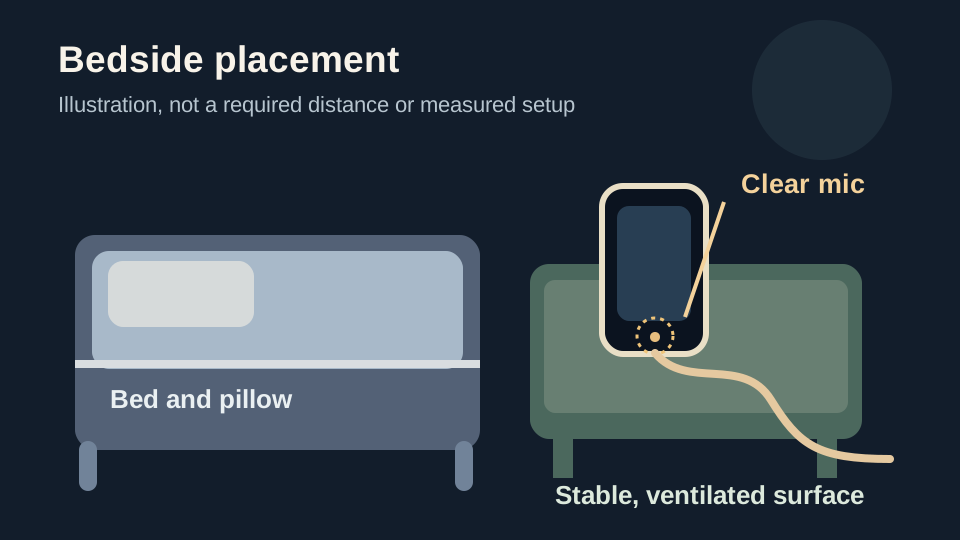
Choose a stable nightstand close enough to capture sounds but not in the bed. Keep the microphone opening unobstructed and move the phone away from a loud fan or speaker where practical. There is no universal distance that guarantees a usable recording.
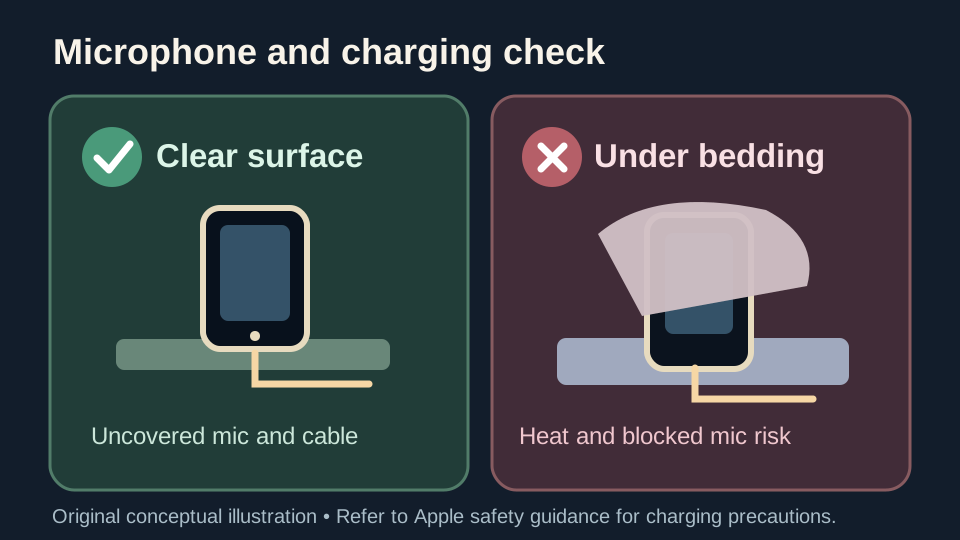
If charging overnight, use an undamaged compatible charger on a firm, ventilated surface. Do not put the iPhone, power adapter or cable under a pillow, blanket or your body. Apple's charging safety guidance explains these precautions.
- Check available storage and that your battery or charging setup suits the night.
- Confirm microphone permission when iOS asks, rather than assuming the app can listen.
- Tell anyone sharing the room that audio may capture them, and obtain agreement first.
2. Start the night's recording
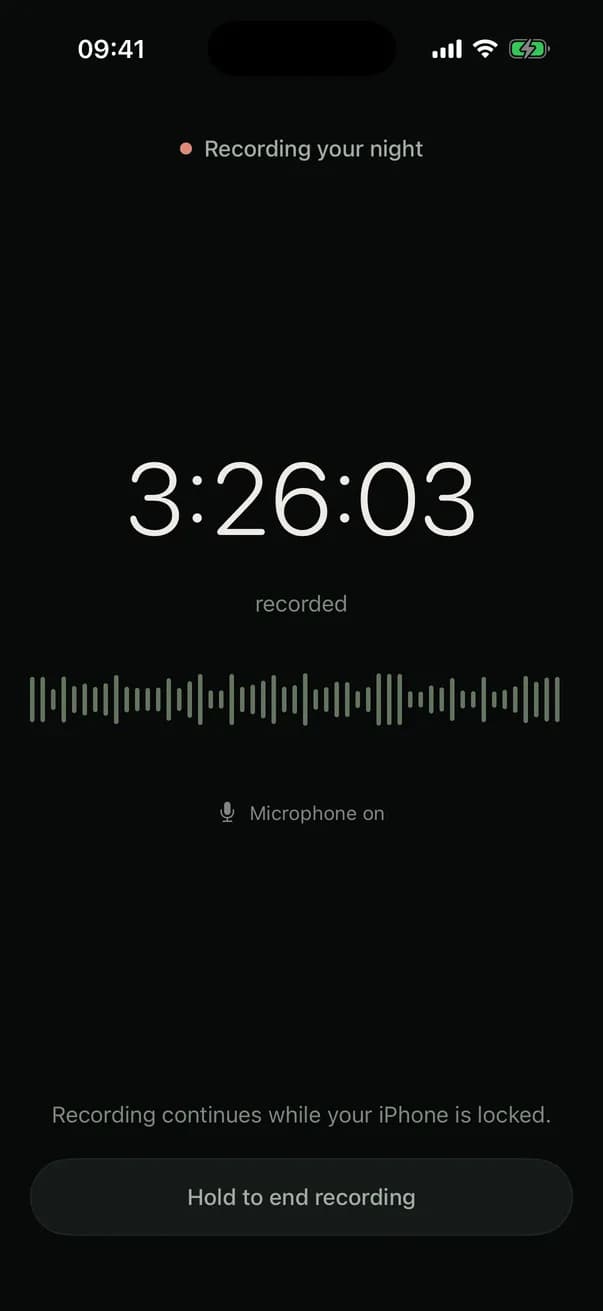
Open the app's Tonight setup, allow microphone access if prompted, and start the recording before you settle down. Look for the recording-in-progress state before leaving the phone on the nightstand. Recording and morning reports require a subscription; check the offer inside the app.
The app is designed to record while the iPhone is locked, but that is not a promise that every device will capture an uninterrupted night. In the morning, check whether any part of the timeline is marked as not recorded. For a more general comparison, see sleep recorder apps.
If you previously denied microphone access, open iPhone Settings, then Privacy & Security, then Microphone, and look for the app. Allow access if listed, return to Tonight, and confirm the recording-in-progress screen before bed. If the app is not listed, open its recording flow to trigger the permission request first. Apple explains how to review microphone access. A permission toggle by itself does not prove audio will be captured all night.
- Do not cover the microphone with fabric, a case accessory or bedding.
- Keep the phone still after starting, so its location is similar on nights you compare.
- Do not rely on a phone recording for safety monitoring or medical decisions.
3. In the morning, review the sounds
Open the finished night and play a few relevant recorded moments. A room recording can include snoring, sleep talking, traffic, a fan or someone else's voice. The sound label is a prompt to listen, not proof of who made it or of a medical cause.
If you are trying to answer whether you snore, record more than one ordinary night and note obvious changes. For speech, see sleep talking. You can also use a basic recorder, but a single uninterrupted audio file is harder to skim than a clip list.
For a useful comparison, write down the date, which recording mode you selected, roughly where you placed the phone, whether any time is marked not recorded, and what you actually heard. A note such as "possible snoring heard near the start; fan was running" is more informative than treating a sound label or score as a finding. The seven-night sleep diary provides an optional reusable log.
A copyable checklist for your first recorded night
Before bed: note the selected recording mode, the phone location and whether someone else is in the room. Confirm that recording has actually started, and leave the microphone uncovered. In the morning, first check how much time was recorded, then listen to a few sound clips rather than drawing a conclusion from a graph.
Use these blank prompts in Notes or the seven-night sleep diary. Keep the answers observational and avoid writing a diagnosis or inferring a trend from one quiet night.
- Setup: date ___; Smart or Full recording mode ___; phone placement ___; microphone permission checked ___.
- Recording: start confirmed ___; finished night available ___; any intervals marked not recorded ___.
- Listening: what the sound actually resembles ___; timestamp of useful clip ___; any likely other sound source ___.
- Context: fan or other noise ___; partner observations, if shared willingly ___; anything different from the previous night ___.
- Next step: repeat with a similar phone setup if useful, or seek medical advice when symptoms warrant it [1].
How much storage does a night of sleep recording use?
There is no honest fixed megabyte figure that applies to every recording. Storage depends on how long you record, whether you keep selected sound clips or full-night audio, and any temporary audio awaiting analysis. Saving a whole night generally takes more space than keeping selected moments.
To find your actual usage, open Storage & Privacy in the app and inspect the amount of saved audio. Check the retention setting before keeping many nights. If analysis is interrupted, temporary audio may be retained for recovery for up to 14 days; that is different from your chosen retention period for saved recordings. Read the Privacy Policy for details about how the service describes personal data.
To check whether there is room for tonight on the iPhone, go to Settings, then General, then iPhone Storage. Check the available space before starting and inspect the app's listed storage if needed. This is an overall device/app figure, not a precise measurement of one night's audio. Apple explains the storage screen. Avoid promising a fixed number of megabytes per hour when the recording mode and retained audio differ.
If the morning recording is silent or incomplete
First check microphone permission and whether the phone's microphone was blocked. Look for a missing-recording segment rather than treating a quiet timeline as evidence that nothing happened. Then repeat on an ordinary night with the phone on a stable surface and any noisy appliances moved farther away.
If you charge overnight, follow the same ventilated-surface precautions each night. An iPhone under bedding is not a safer or more reliable microphone position.
What a recording cannot tell you
Snoring or unusual sounds in audio do not establish whether you have sleep apnea. If someone witnesses pauses, choking or gasping, or you feel very sleepy in the day, discuss the symptoms with a clinician rather than interpreting an app clip as a diagnosis [1]. Read snoring versus sleep apnea for the difference.
If you share a bedroom, agree on recording first; the microphone cannot verify which person or pet made a sound.
In the app
Review your night without scrubbing through hours
With a subscription, start a nighttime audio recording and review the saved moments and timeline in the morning. Choose between keeping selected clips and saving full-night audio according to the options available in the app. Labels help you find something to replay; they do not diagnose a condition.

Questions
Can I record myself sleeping with Voice Memos?
Yes. A general voice recorder can capture audio, but you will need to review the long file yourself. A dedicated sleep-sound app can organize clips for replay, subject to its recording settings.
Does recording overnight use a lot of battery?
It uses power, but there is no verified battery percentage to promise across iPhone models. Check your device's battery and use a safe charging setup if appropriate.
How much space does an eight-hour recording take?
The size is not fixed. A saved full-night recording generally needs more space than selected short clips. Open Storage & Privacy to view the audio stored on your own device; we do not publish an unverified MB-per-hour estimate.
Will recording continue with the iPhone locked?
The app is designed for recording with the phone locked, but uninterrupted operation has not been established for every device and iOS version. Check the morning report for any segments marked not recorded.