

Sleep stages explained: REM, deep, light and Apple Watch Core
Sleep cycles through non-REM stages N1, N2 and N3, and REM sleep. A cycle typically lasts around 80 to 100 minutes, although the timing varies, and several cycles occur through the night [1]. Apple Watch estimates REM, Core and Deep; those estimates are not the same as a clinical sleep study [2].
Last reviewed 22 October 2026. General information, not medical advice.
On this page6 sections
The four sleep stages in plain language
Clinical sleep staging relies on measurements such as brain activity and eye movement in a sleep study [1]. Consumer watches estimate stages from a different set of signals.
- N1: the brief transition between waking and sleeping.
- N2: established non-REM sleep. It typically makes up a large part of a night and should not be dismissed as poor-quality sleep.
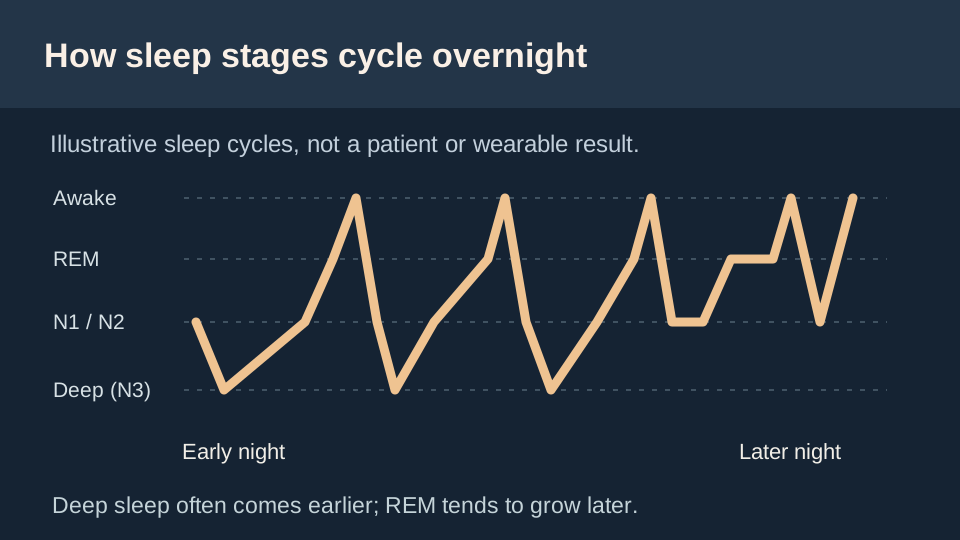
- N3: deep, or slow-wave, sleep. You generally have longer stretches early in the night.
- REM: a stage with rapid eye movements and relatively active brain patterns. Vivid dreaming is common, although dreams can also happen outside REM [1].
What Core, Deep and REM mean on Apple Watch
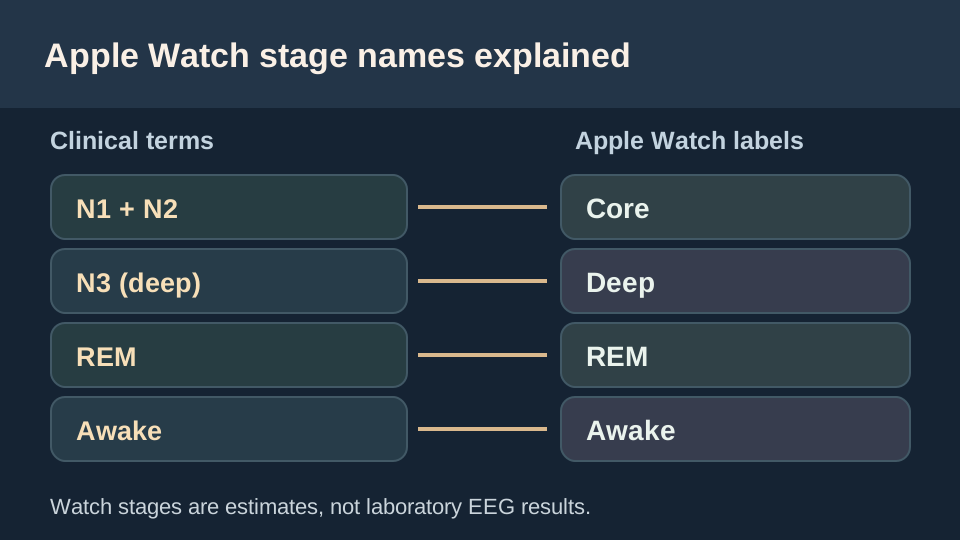
Apple Watch reports Awake, REM, Core and Deep as estimates. In Apple's documented model, Core broadly maps to non-REM N1 and N2; Deep broadly maps to N3; and REM is its own stage [2]. Calling Core 'bad' or a deficiency because it is not Deep misunderstands ordinary sleep.
Apple Health can receive sleep data from compatible sources, and missing data does not mean that a person did not sleep. Check Apple's sleep-data instructions for the device settings and available stage history.
How sleep stages change through the night
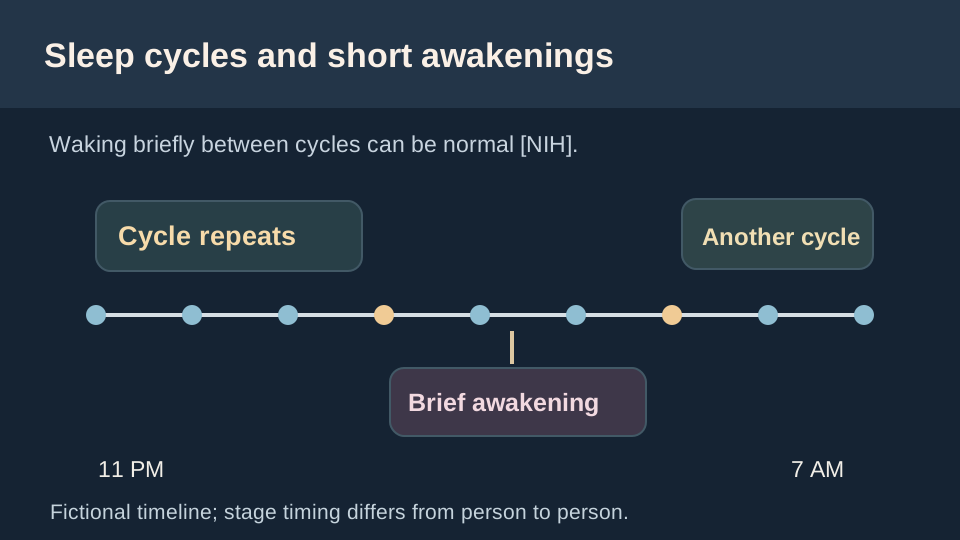
Deep N3 sleep is usually more prominent earlier in the night, while REM stretches tend to be longer closer to morning. Short awakenings can occur between cycles [1]. One night's exact chart is not a diagnosis and does not establish your sleep's quality.
A stage pattern can also vary by age and from night to night. Instead of looking for a fixed 'perfect' REM or Deep percentage, consider total sleep opportunity, how you feel and persistent symptoms. Read how much sleep is needed for age-appropriate duration guidance.
How to find sleep-stage data on your iPhone
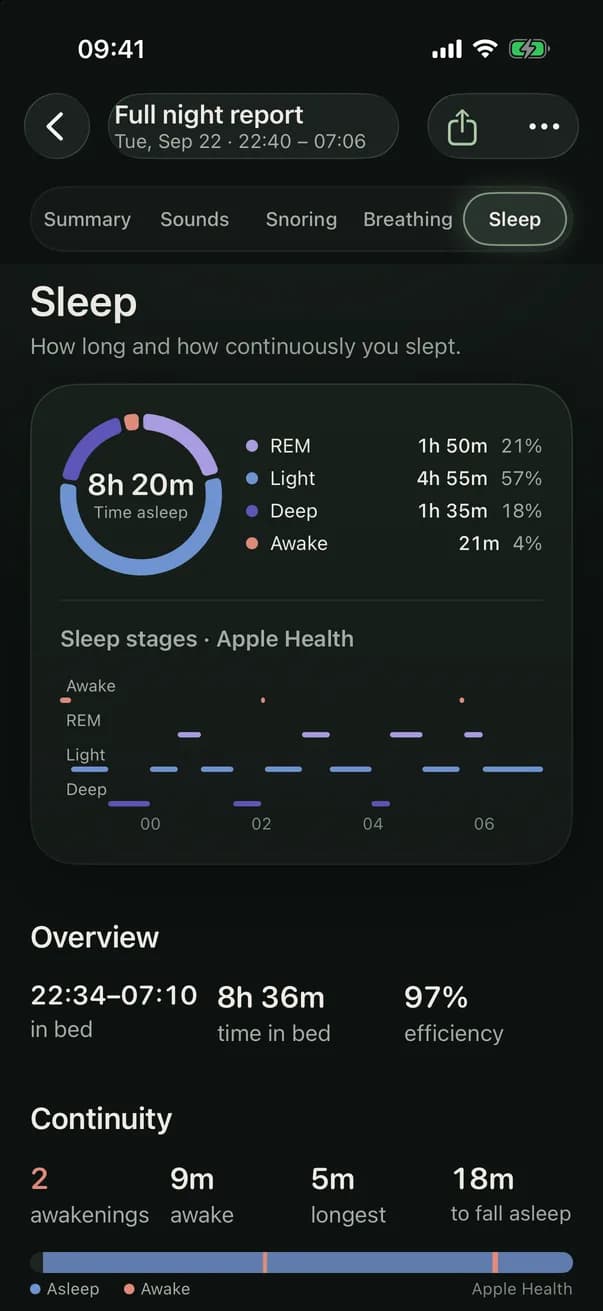
Open Apple's Health app, find Sleep using Search or Browse (the label depends on iOS version), and select a night that has stage data. Use the Stages view or Show More Sleep Data to inspect Awake, REM, Core and Deep if those categories were recorded. This is the underlying source to check before interpreting the stage panel in a separate sleep-recording app. Apple documents its Health sleep views.
If you see time asleep but no stage chart, it does not prove that you missed REM or Deep sleep. Different data sources and nights may record only a general asleep interval; a missing stage entry means the detail is unavailable, not that the stage failed to occur.
- Confirm the source: check that an Apple Watch or other compatible sleep data provider actually recorded the night and that the data reached Apple Health.
- If using Apple Watch: check sleep tracking settings, adequate watch charge and a comfortable fit; the watch must be worn while asleep for its estimates to be available [2].
- Check app permissions: verify the sleep-recording app is allowed to read relevant sleep information from Health. Access to the phone microphone alone does not grant sleep-stage data.
- Compare like with like: one watch estimate can differ from another night because the recorded interval or source changed, even if you felt equally rested.
If your report shows a missing sleep score as well, the sleep-score explanation covers its additional recording-overlap requirements. A stage chart is descriptive, not a medical diagnosis.
Can a phone microphone identify sleep stages?
Not reliably. A microphone can capture room sounds, but clinical sleep staging requires more than sound. In the app, stage data comes from Apple Health when available, not from classifying snoring or talking clips.
If your app report has no stage data, check the Apple Health source, permissions and compatible tracker instead of assuming the microphone failed. The sleep-score guide explains why that app's score also depends on sufficient sleep records and recording coverage.
When the stage chart is not the important question
Severe daytime sleepiness, gasping or witnessed breathing pauses warrant clinical discussion regardless of an apparent stage chart [3]. A consumer sleep-stage estimate cannot diagnose or exclude sleep apnea. For frequent remembered awakenings, start with waking up at night and seek individual advice if the problem persists.
In the app
See estimated stages alongside room sounds
When Apple Health provides sleep-stage data, the app can show those estimates near the nighttime audio timeline. The microphone does not calculate N1, N2, N3 or REM, and a watch-derived stage is not a clinical measurement. Recording and reports require a subscription.

Questions
What is Core sleep on Apple Watch?
Core is Apple's estimated stage grouping corresponding broadly to N1 and N2, not a warning that the sleep is inadequate [2].
Is dreaming only during REM?
Dreaming is common during REM, but it is not exclusive to REM. The stages change through the night [1].
Is too little Deep sleep on one watch night dangerous?
One consumer estimate cannot establish whether you have a medical problem. If you consistently feel unwell or very sleepy, talk with a clinician about symptoms rather than a single percentage.