

How it works
Every number says where it came from
The app never mixes up what it measured, what Apple Health measured and what you told it. Each figure in the app is labelled with its source, and nothing is derived from a source that can't support it: sleep and awakenings come only from Apple Health, never guessed from sound.
Where numbers come from
The microphone
What the app hears and analyses on your iPhone.
Snoring, sleep talking, coughing, breathing sounds, noises, and loudness relative to your room.
Apple Health
Read only, and only what you allow. Written by your Apple Watch or another sleep tracker.
Time asleep, sleep stages, awakenings, heart rate, respiratory rate, blood oxygen, breathing disturbances.
You
What you tell the app, used only to compare your own nights.
How rested you felt, and what was different before bed: position, congestion, alcohol, a late meal, a sleep aid.
Where each number comes from
Three sources, always labelled in the app: the iPhone's microphone, Apple Health (only if you allow it), and what you tell it.
- SnoringMicrophone
- ShowsWhen it was audible, for how long, and how strong relative to your room.
- Can't tell youWho snored, why, or whether breathing was interrupted. See snore recorder.
- Sleep talkingMicrophone
- ShowsWhen speech-like sounds happened, kept as clips to listen to.
- Can't tell youWhat was said (nothing is transcribed), dreams or sleep stage.
- CoughingMicrophone
- ShowsWhen coughs happened and how many.
- Can't tell youWhat caused them, or whether it matters.
- Breathing soundsMicrophone
- ShowsGasp-like sounds and audible breathing, marked "Sound to review" so you can listen.
- Can't tell youWhether breathing stopped, oxygen levels, or sleep apnea. See snoring or sleep apnea.
- LoudnessMicrophone
- ShowsHow loud a sound was relative to your room, comparable when the phone stays in one place.
- Can't tell youA calibrated decibel figure: a phone isn't a sound meter.
- Time asleep, stages, awakeningsApple Health
- ShowsWhat your Apple Watch or other tracker reported for the night, labelled as Apple Health.
- Can't tell youSleep stages measured in a lab. Nothing about sleep or wake is worked out from sound. See sleep stages.
- Heart rate, respiratory rateApple Health
- ShowsReadings your watch or tracker recorded, shown beside the night's sounds.
- Can't tell youThe cause of any sound you hear.
- Blood oxygen, breathing disturbancesApple Health
- ShowsWhat a compatible Apple Watch recorded or assessed, where available.
- Can't tell youA diagnosis, or proof that you don't have sleep apnea.
- Sleep scoreThe app
- ShowsA summary of Apple Health sleep data, with a published formula. Sounds are never part of it.
- Can't tell youAny health risk. See how the score works.
- Bedtime notes, how rested you feltYou
- ShowsWhat was different about a night, so nights can be compared.
- Can't tell youWhether one thing caused a change: nights differ in many ways at once.
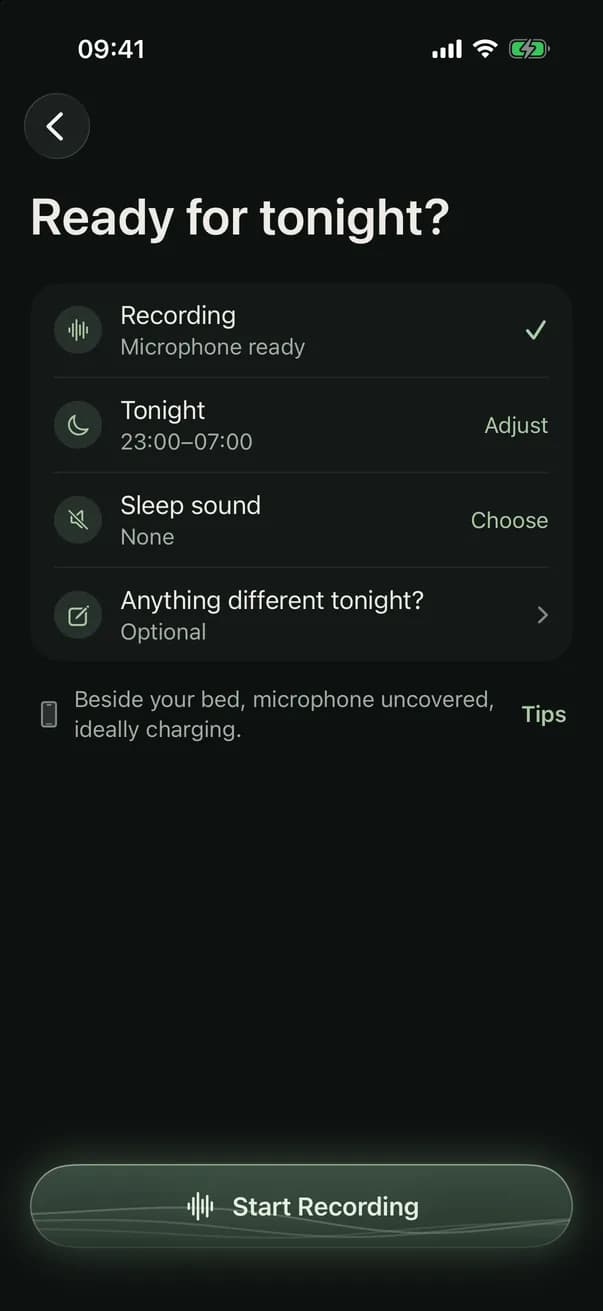
A night, step by step
- Before bedPut the phone beside the bed, microphone uncovered, ideally charging. Optionally note anything different about tonight.
- OvernightThe app listens and analyses sound on the iPhone as it goes. Recording is designed to keep going while the phone is locked; any stretch it couldn't hear is marked as not recorded, never counted as quiet.
- What it keepsSmart Recording (default): the moments it detects are kept as short clips, with a few seconds before each. If analysis stops during the night, the audio for that stretch is kept until it can be analysed, then deleted, and never for more than 14 days. Full Recording: saves the whole night as well, about 15 MB an hour.
- In the morningThe report, the timeline and every clip, next to whatever Apple Health measured.
What's stored, and where
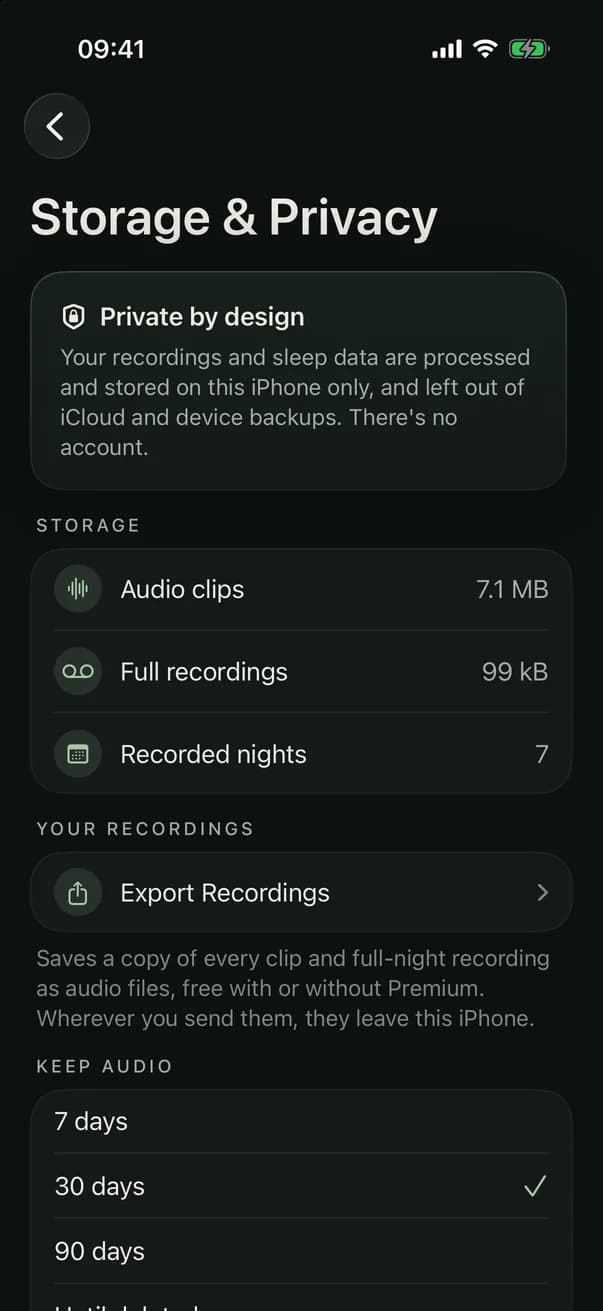
- Sound is analysed on your iPhone. Recordings aren't uploaded, and there's no account.
- Recordings, reports, your answers and any Apple Health readings are stored on your iPhone and kept out of iCloud and device backups, so a new iPhone starts without them. Export what you want to keep.
- You choose how long audio is kept: 7, 30 or 90 days, or until you delete it. Reports and clips you bookmark stay.
- You can export every recording as audio files, or delete one clip, one night, old audio, all recordings or all sleep data, at any time.
- The app has no analytics and no advertising. Buying a subscription goes through Apple and Superwall, which receive device details and purchase information, never your recordings or sleep data.
The full detail is in the privacy policy.
With a subscription
Recording and the whole night
Recording, the morning report, every sound and clip, the timeline, snoring and breathing detail, trends and sleep sounds need a subscription. Plans and prices are shown in the app before you subscribe.
Always free
Your information, and your recordings
The health information and its sources, your privacy and storage settings, and exporting or deleting your recordings, with or without a subscription.
Does it keep every sound all night?
You choose. Smart Recording, the default, keeps the moments it finds as clips, each with a few seconds before it, plus the night's analysis. Full Recording also keeps the whole night's audio, about 15 MB an hour, for when you'd rather listen yourself. Either way, sound detection can miss or mislabel a sound, so neither is a test for any condition. More on smart and full-night recording.
What you need
- An iPhone running iOS 17.6 or later.
- Optional: an Apple Watch or another device that writes sleep to Apple Health, for sleep stages, awakenings and the sleep score.
Record your sleep tonight
Recording keeps going while your iPhone is locked. In the morning you get a night report and a timeline of snoring, breathing and other sounds to replay, all stored only on your iPhone.

Recording and morning reports need a subscription. Plans and prices are shown in the app.
