

Sleep recording guides: choose what to record and how to check it
To record sounds while you sleep, choose your question first: do you snore, talk in your sleep or want to hear other bedroom noises? An iPhone microphone can capture audio and a sound recorder can organize clips, but neither proves that you were asleep, identifies every sound source or diagnoses a sleep condition. Start with the route below, then check your setup before bedtime.
General information, not medical advice.
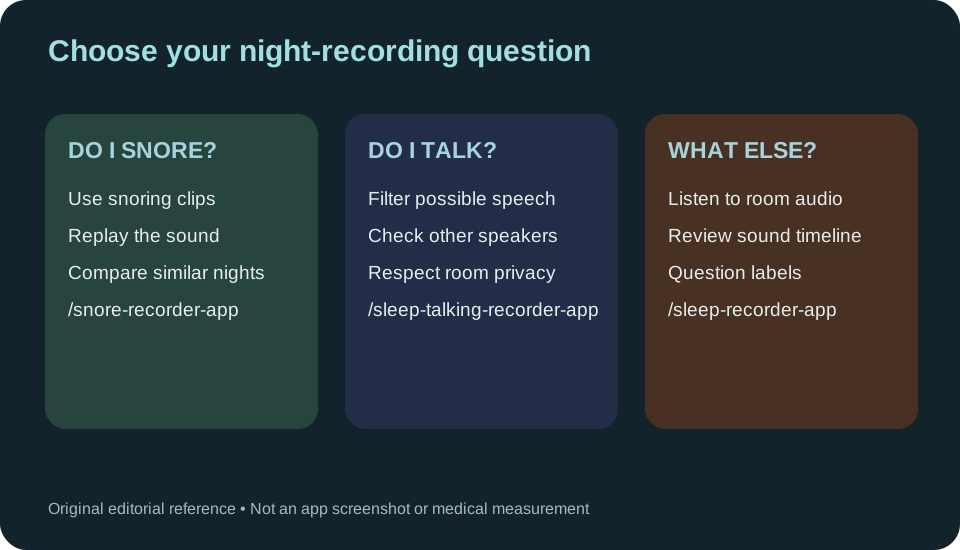
Choose a recording guide by your question
Each route answers a different question. A sound label is only a suggestion until you listen to the recording yourself:
- Did I snore? Use the snore recorder for iPhone to set up a night, replay possible snoring and understand why relative loudness is not a medical measurement.
- Did I talk in my sleep? Use the sleep talking recorder to find and replay possible speech without claiming the app knows who spoke.
- What else happened in the room? Use the sleep recorder app guide for voice recordings versus categorized sound clips, including coughing and ambient noise.
- I've never tried recording a night. Start with how to record yourself sleeping for safe bedside positioning and a practical first-night workflow.
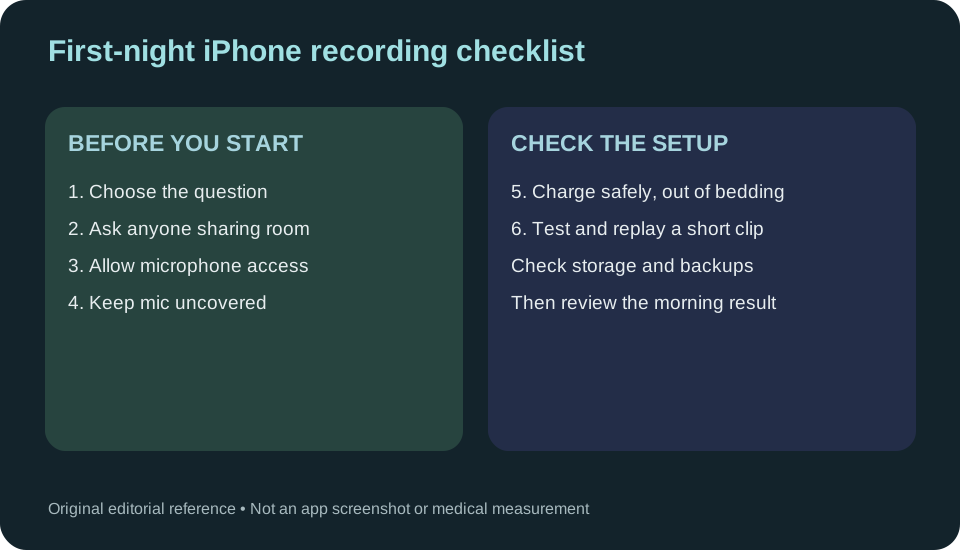
The first-night setup checklist
Before committing to overnight recording, do a short trial while awake. Check that a saved clip actually plays at your bedside position. A short test cannot prove a full night's duration, event-detection accuracy or reliable locked-screen operation; the morning report must be checked for missing capture.
- Decide what you want to learn and pick the appropriate app or manual Voice Memos method.
- Confirm microphone permission in iPhone Settings > Privacy & Security > Microphone when the chosen app asks for it [1].
- Place the phone on a stable bedside surface with its microphone clear. If charging, keep the phone and adapter in the open, away from blankets and pillows [2].
- Ask everyone whose voice might be captured to agree before recording. If you use the featured app, choose how long recordings are retained in Storage & Privacy; Apple's Voice Memos has separate iCloud sync settings [3].
- Make a short test recording, replay the actual audio and note whether the sound is intelligible. After a night, inspect recorded duration and intervals marked not recorded before comparing sound counts. For repeat nights, use similar placement and note anything unusual about the room or phone.
If a test is silent, missing or incomplete, start with the iPhone microphone check Apple describes [1]. The dedicated sleep recorder app guide compares Smart Recording's suggested clips with Full Recording's wider captured audio; neither restores unrecorded intervals.
What a microphone report can and cannot mean
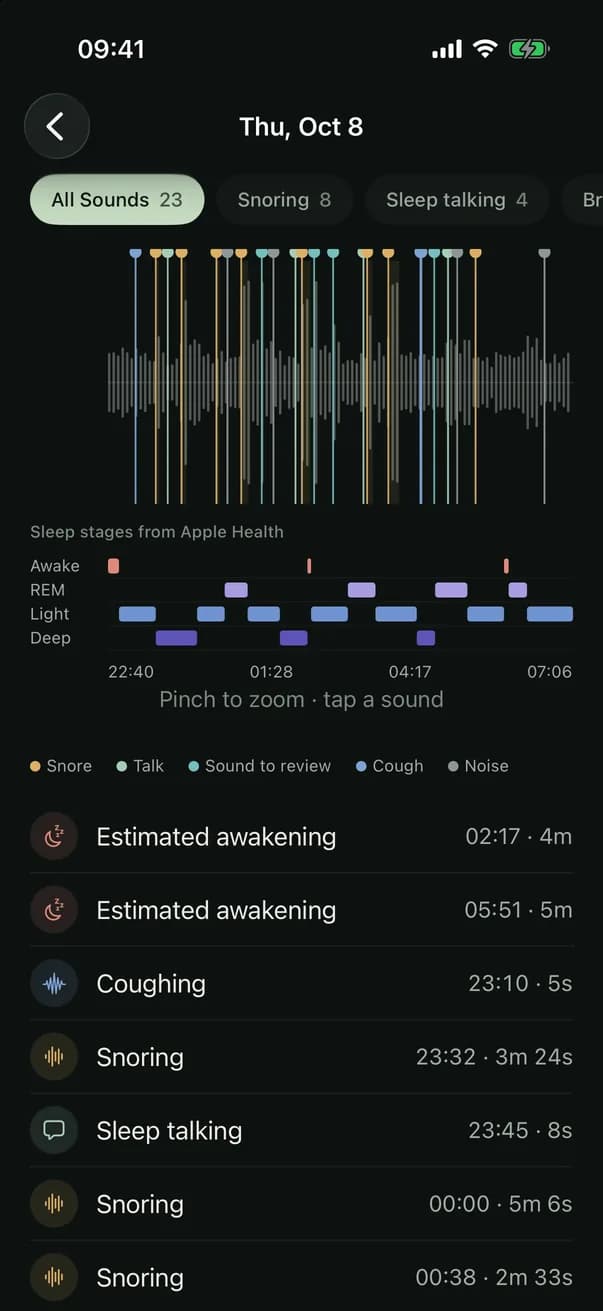
Phone audio has timestamps and audible sound; it does not measure airflow, blood oxygen, sleep stages or which person produced a sound. A label such as snoring or talking may be wrong or incomplete. Optional sleep estimates shown from a compatible wearable through Apple Health are a separate data source, and a medical sleep study uses additional sensors [4].
A quiet clip is not evidence that breathing stopped or that you slept well. For suspected pauses, gasping or significant daytime sleepiness, speak to a clinician rather than using a recording as a test [5] [6].
Compare nights without overinterpreting them
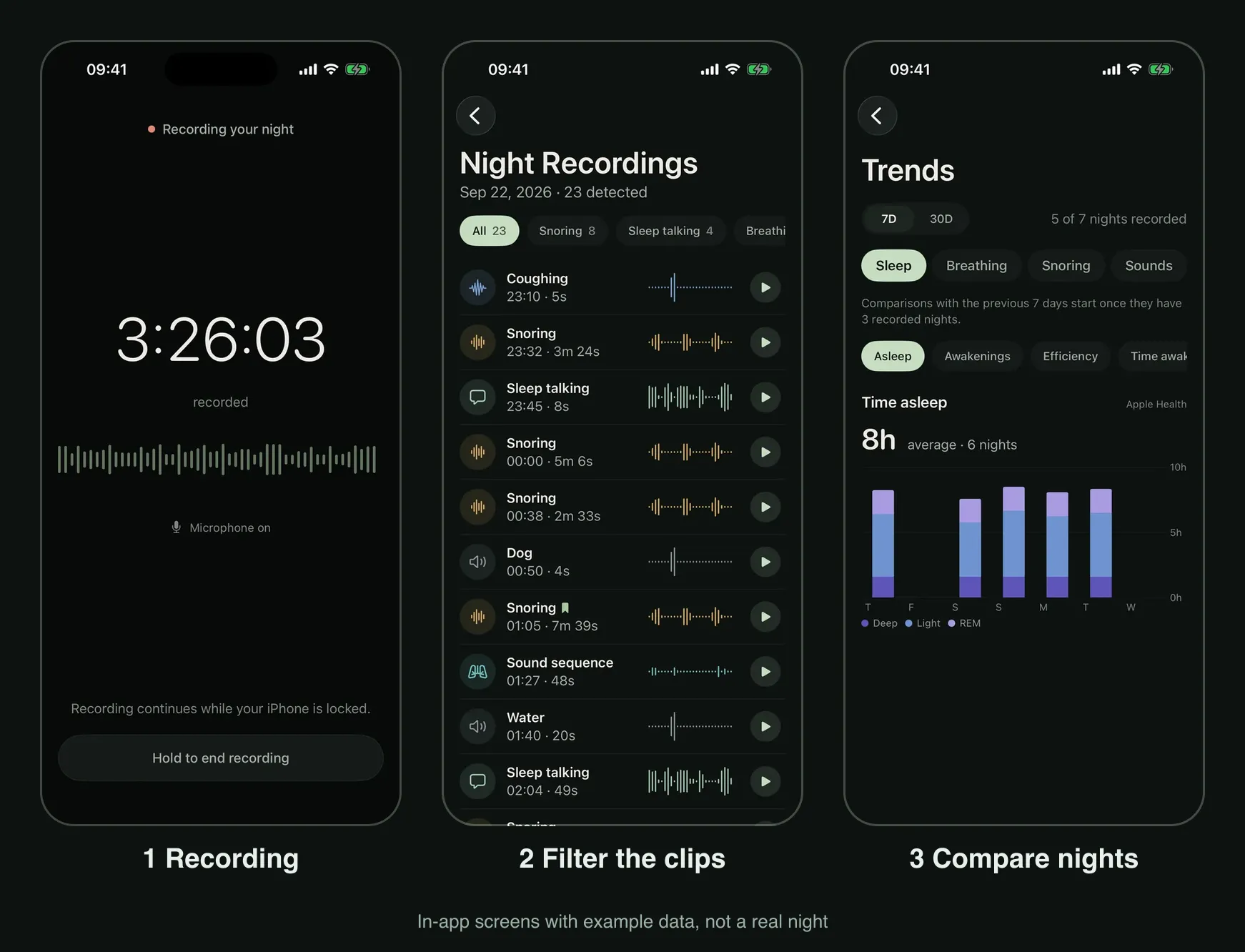
A single night is a snapshot. Snoring can change with alcohol or sleeping position [7], and relative sound intensity changes if you move the phone, add a fan or cover the microphone. Compare several ordinary nights in similar conditions, exclude missing intervals from conclusions and replay uncertain clips before trusting totals. A Sleep Trends view may show Apple Health sleep-stage estimates, not a dedicated snoring-improvement graph.
Use do I snore? for the first answer, or snoring versus sleep apnea when the concern is medical rather than simply a bedroom sound.
Privacy and the next decision
Bedside audio may include a partner, family member or visitor. Obtain agreement before recording. The featured app stores recordings and reports on the iPhone, excludes them from iCloud and device backups, and lets you retain audio for 7, 30 or 90 days or until deleted. Export Recordings remains available after a subscription ends, but copies you deliberately share may remain with recipients. Apple's Voice Memos may instead synchronize recordings through iCloud if enabled [3].
This website is made by the app's developer. You can read these guides without paying, and Apple's Voice Memos is a free way to try recording general room audio [3]. Recording and morning reports in the featured iPhone app require a subscription; check its current terms and price on the in-app purchase screen before subscribing.
In the app
If you want organized overnight clips
The iPhone app groups suggested night sounds into Smart Recording clips or saves wider captured audio in Full Recording. Review the captured duration and intervals marked not recorded before interpreting an empty event list. Optional Apple Health sleep estimates are separate from microphone audio, and sound labels may be wrong. Recording and morning reports require a subscription; check the displayed in-app terms before buying.

Sources
- 1Apple Support. If the microphones on your iPhone aren't working. Published 27 March 2026.
- 2Apple. Important safety information for iPhone. iPhone User Guide, Apple Support.
- 3Apple. Make a recording in Voice Memos on iPhone. iPhone User Guide.
- 4MedlinePlus Medical Encyclopedia, National Library of Medicine (NIH). Polysomnography. Reviewed May 2026.
- 5National Heart, Lung, and Blood Institute (NIH). Sleep Apnea: Symptoms.
- 6American Academy of Sleep Medicine. Consumer Sleep Technology: AASM position statement.
- 7NHS. Snoring.